
Stop 1
Install the app and create your account
Embarkation is free on iPhone, iPad and Android. On a computer, it runs right in your browser.
- Download Embarkation from the App Store or Google Play. On a computer, open app.embarkation.app.
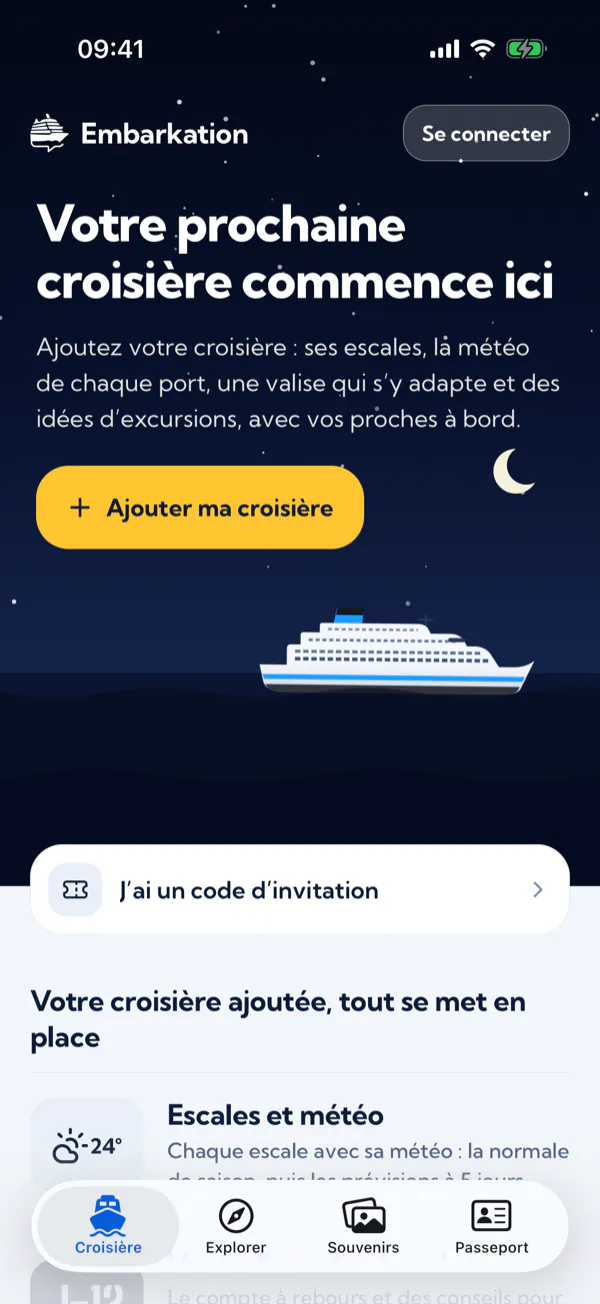
- Tap “Sign in” at the top of the home screen, or “Sign in or create an account” in the Passport tab.
- Choose “Continue with Apple”, “Continue with Google” or “Continue with Facebook”, or create an account with your email address and a password.
- Add your first name to your profile: it’s the name your crew will know you by.
Stop 2
Add your cruise
Your cruise is where it all starts: once added, it unlocks the itinerary, the weather, packing, excursions and your crew.
You’ve already booked
- In the Cruise tab, tap “Add my cruise”.
- Search for your ship by name.
- Pick your departure date: Embarkation fetches the itinerary and its ports of call.
Your sailing is in the catalogue
On its page, in the Explore tab, tap “This is my cruise”.
Your sailing isn’t listed
Tap “Add my cruise manually” and enter the ship, your boarding and disembarking dates, the departure port and, if you like, a name (“Family fjords trip”). You get the countdown, the crew and memories; without a known itinerary, the weather and excursions aren’t available.
You’ve been invited
Tap “I have an invitation code” and enter the eight-character code your captain sent you, or simply open the invitation link.
Stop 3
Get ready to sail
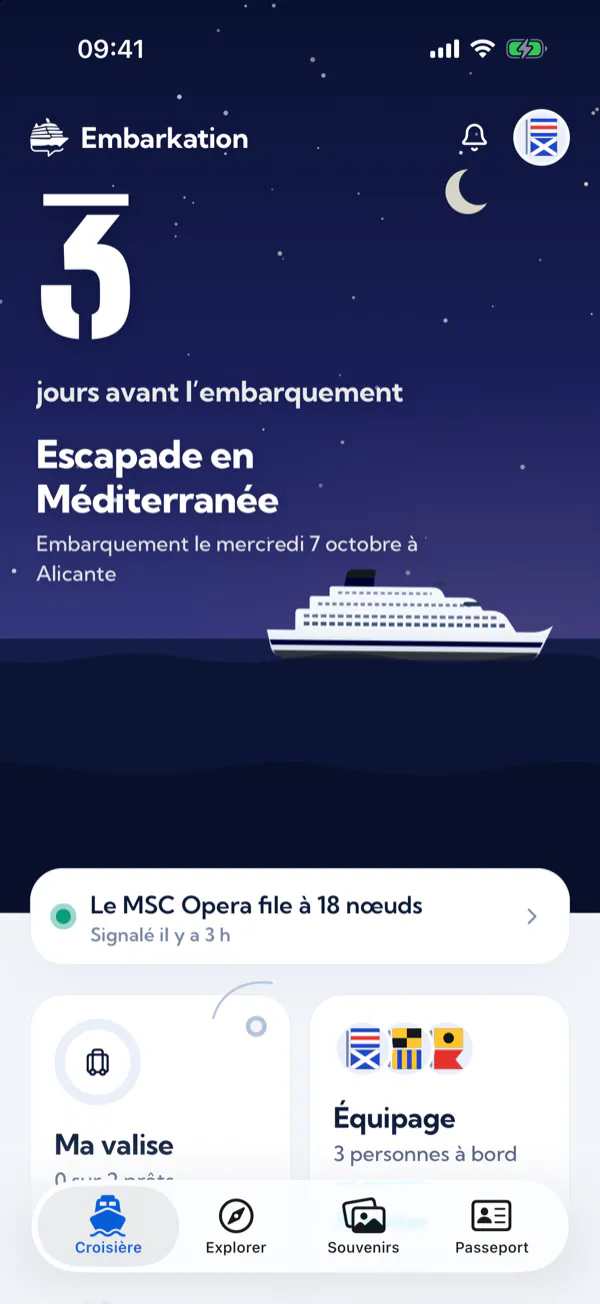
The countdown is on. Here’s what the app gets ready with you before boarding.
The countdown and reminders
The home screen shows the days left until boarding, under a sky drawn from the real position of the sun where your ship is. Just below, the “Coming up” list reminds you of each step at the right time: passports and visas, travel insurance, excursions, online check-in, luggage tags and a first-day bag.
Ports of call and their weather
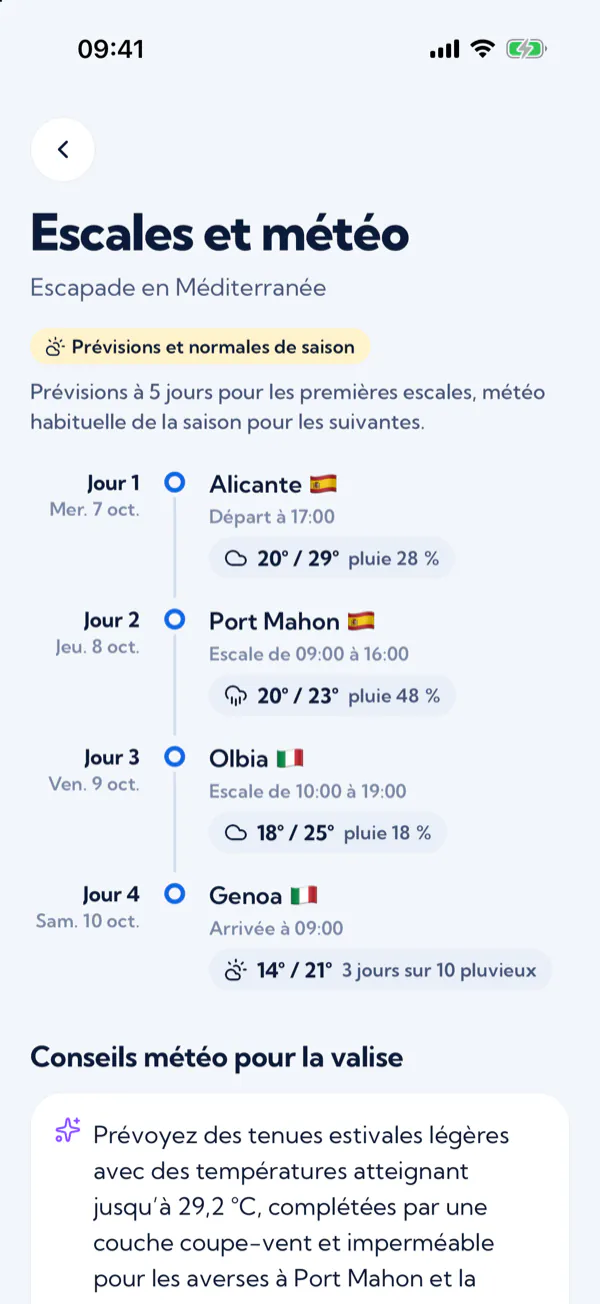
Open “Ports and weather”: day by day, each port of call with its arrival and departure times, and your days at sea. More than 5 days before a port, the weather shown is the seasonal average, worked out over the last ten years. Five days before the port, the real forecast takes over.
Your suitcase
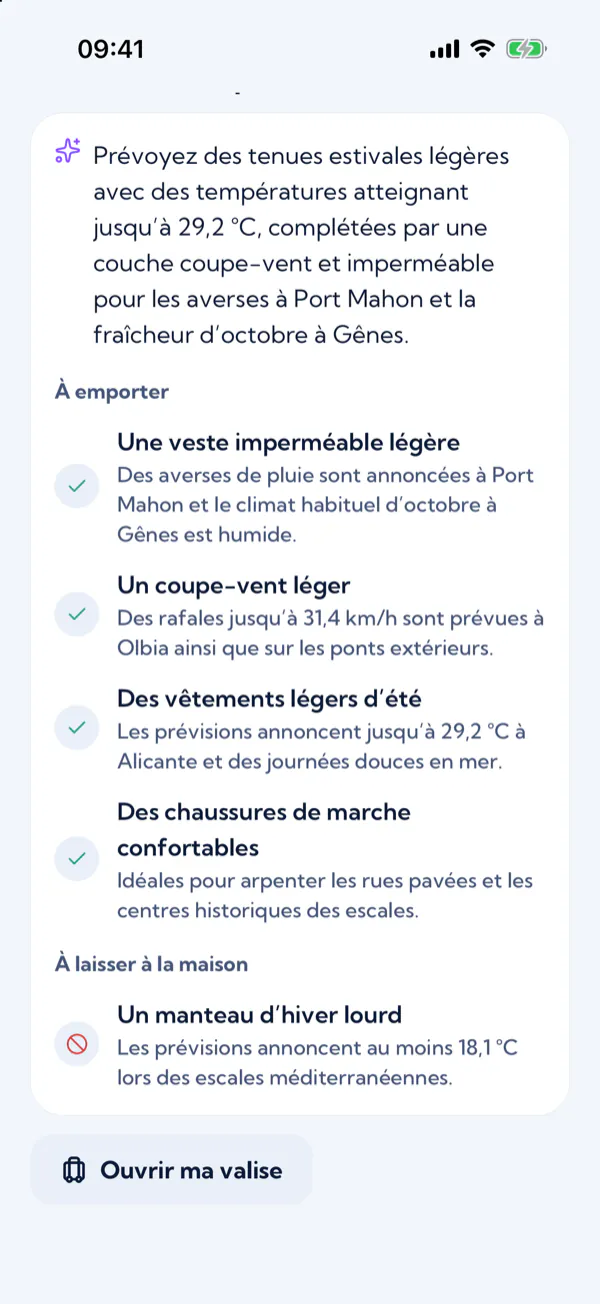
Below the ports, the “Weather tips for your suitcase” tell you what to pack and what you’d better leave at home, each time with the reason. They’re written by an AI from the weather at your ports and become definite 5 days before each port, once they rely on the forecast.
- Tap “Open my suitcase”: your packing list opens, with the tips at the top.
- Tap “+” next to a tip to add it to the list.
- Tick off each item as you get ready. When you tick the last box, the app announces “All packed!”
Your packing list is saved on the device where you fill it in.
Excursions
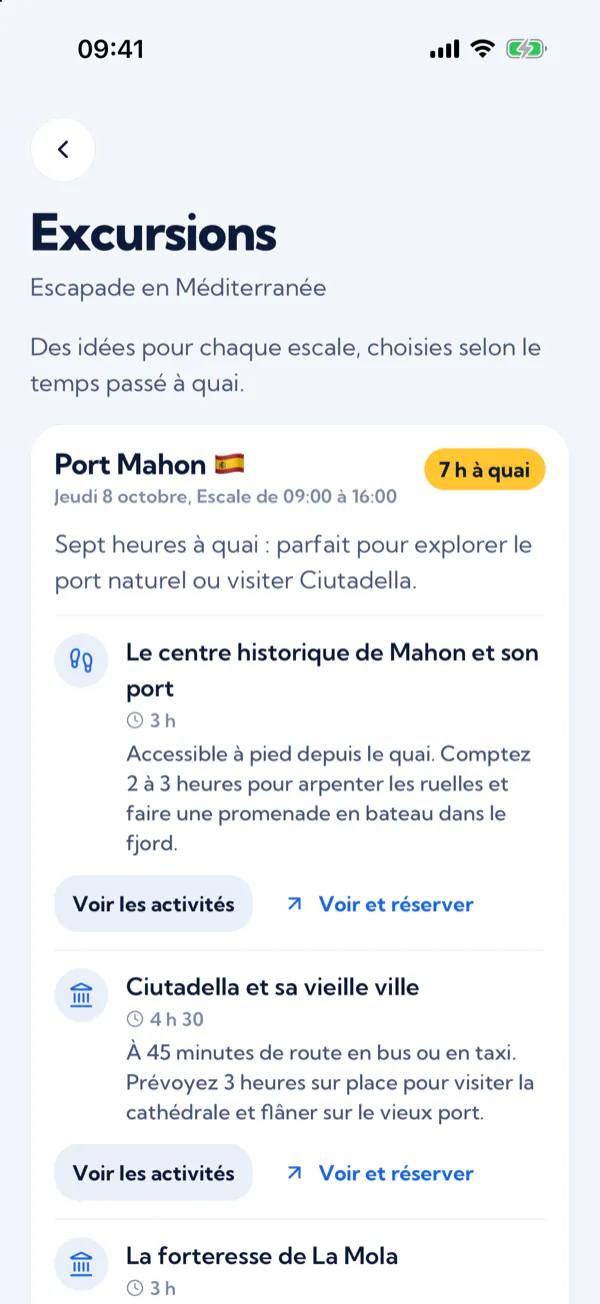
Open “Excursions”: for each port, ideas picked for your time ashore, then GetYourGuide activities with their photos and reviews, to book directly with our partner.
GetYourGuide partner links: Embarkation may earn a commission on bookings, at no extra cost to you. Excursions are run by independent providers, under their own terms.
Stop 4
Enjoy the cruise on board
The big day is here. On board, the app brings your crew together and keeps track of the voyage.
Gather your crew
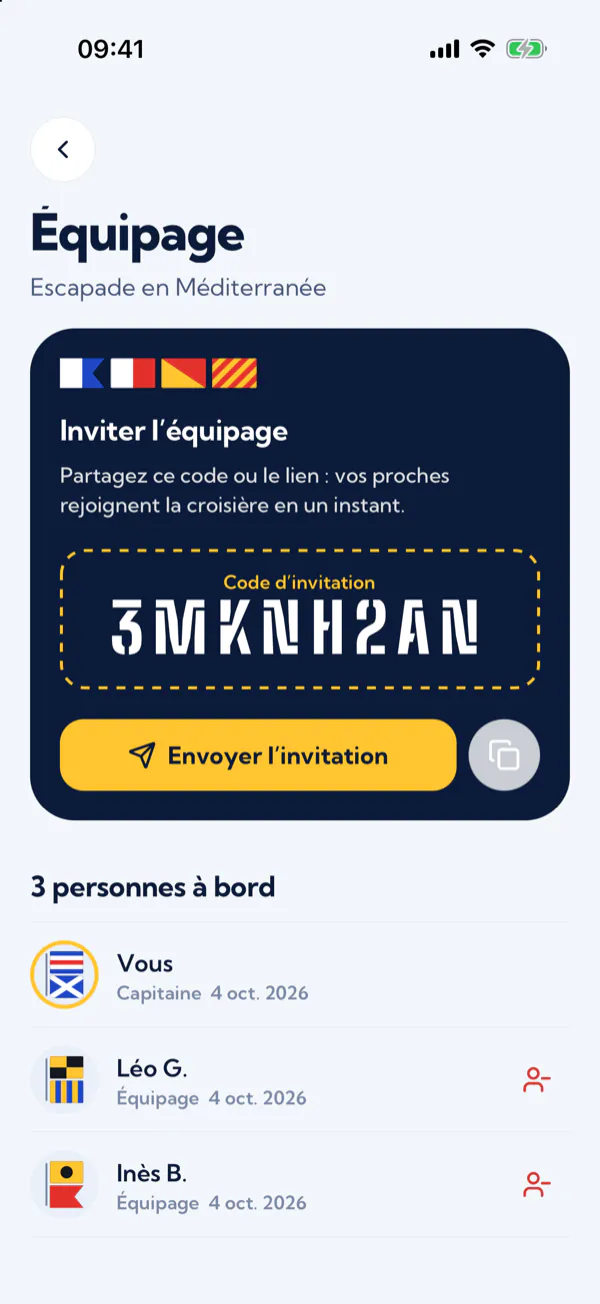
- On your cruise page, open “Crew” and tap “Invite”.
- Share the invitation code or the link with your travel companions.
- They enter the code with “I have an invitation code”, or open the link: they’re on board.
Whoever created the cruise is its captain and can remove a member from the crew.
The logbook
Tap “Write”, tell the story of the day in a few words or pick a mood, then tap “Post”. The ship’s position is added automatically, and your crew reads the logbook with you.
On-board bingo
A card of cruise moments, from the towel animal on the bed to the midnight buffet. Tap a square when the moment comes: a full line earns you the “Bingo!” stamp, and “Share my card” challenges your friends.
The map and the wake
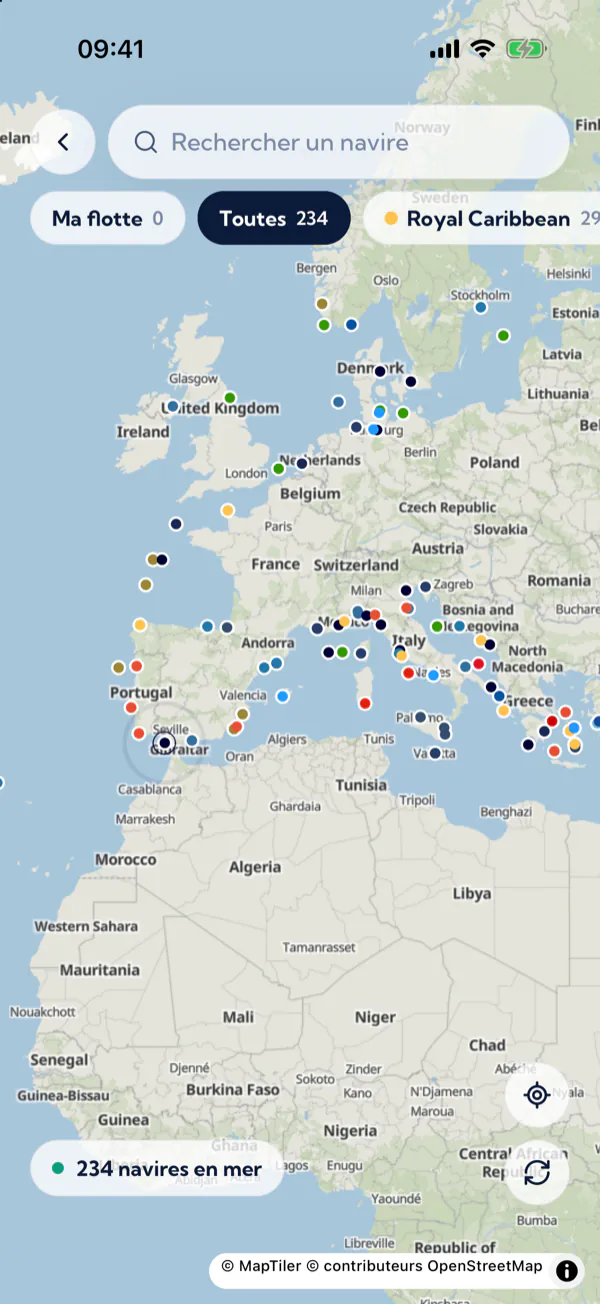
Tap “See on the map” to find your ship among the cruise ships at sea, live. Its page shows its speed, heading, destination and wake over the last 24 hours. Positions come from public AIS signals: they may lag a little, and they are not for navigation.
Other passengers on your ship
In your profile, turn on “Visible to other cruisers” to appear in the list of passengers sailing on the same ship: they see your first name, the initial of your last name, your photo and your bio, never your email. Without this option, you stay invisible.
Stop 5
Keep your memories
Back on dry land, the cruise lives on in the Memories tab.
The cruise album
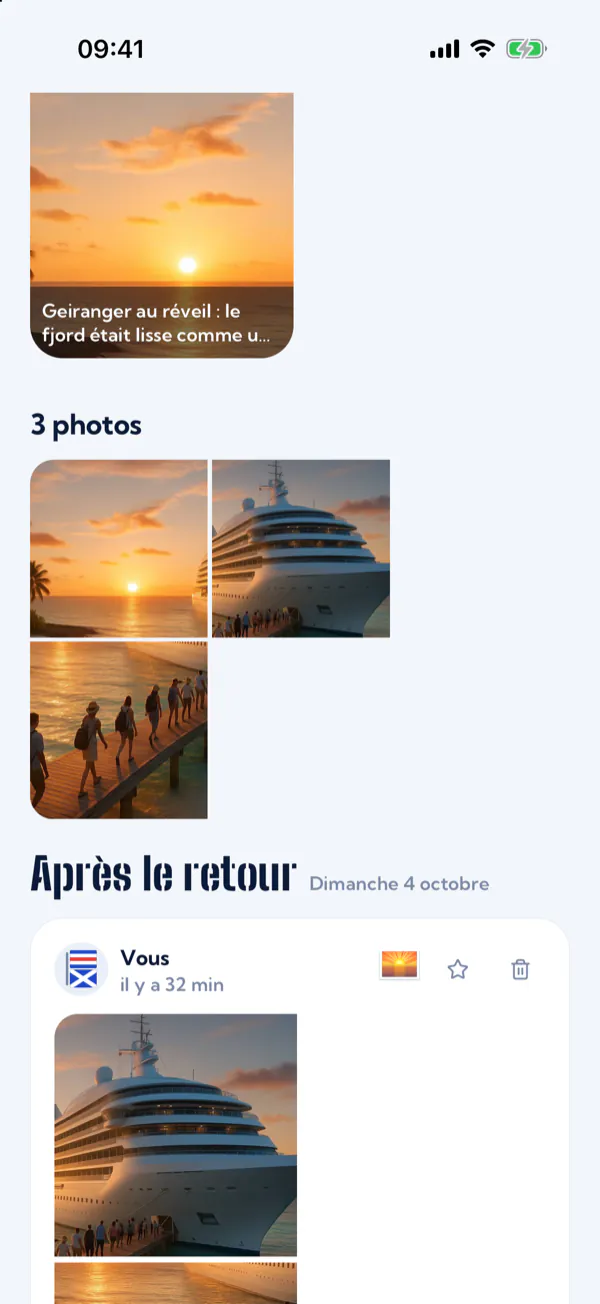
- In the Memories tab, open the cruise album and tap “Add a memory”.
- Add photos from your gallery, or take one on the spot, then a few words or a mood.
- Choose who can see it: “My crew” or “Only me”.
- Tick “Highlight of the cruise” to put it at the top of the album, then tap “Keep this memory”.
The recap
Tap “Relive my cruise”: a stories-style recap retraces the nautical miles sailed, the ports of call, your highlights, the mood of the trip and the Embarkation passengers you met on board. “Share my recap” sends it to your loved ones.
Your passport and its stamps
The Passport tab brings together your cruises, your counters (cruises, ports, countries) and your stamps. There are eleven stamps to collect:
- First boarding Add your first cruise.
- All packed Tick the whole packing list.
- Crew captain Bring someone aboard your cruise.
- Fleet fan Follow 5 ships.
- Ship’s scribe Write 5 memories in the logbook.
- Bingo! Complete a line of the on-board bingo.
- Sea legs Finish a cruise.
- Globetrotter Follow ships from 5 cruise lines.
- Lookout Spot a ship within 50 miles of you.
- Night watch Open the map between midnight and 5 am.
- Old salt Finish 3 cruises.
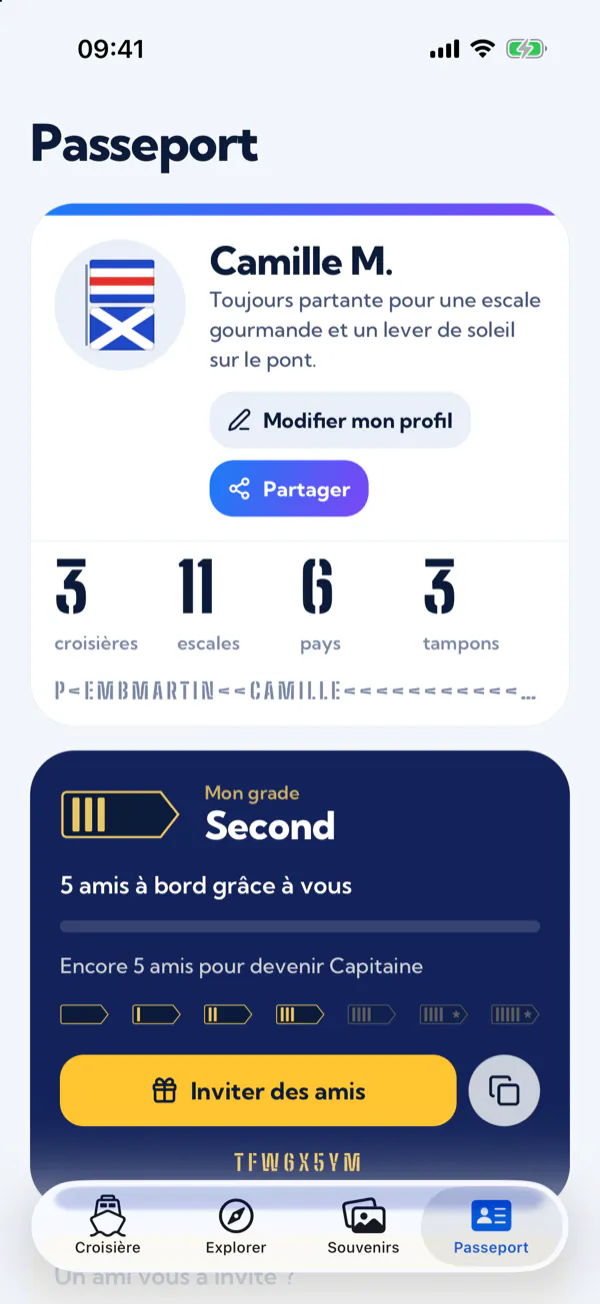
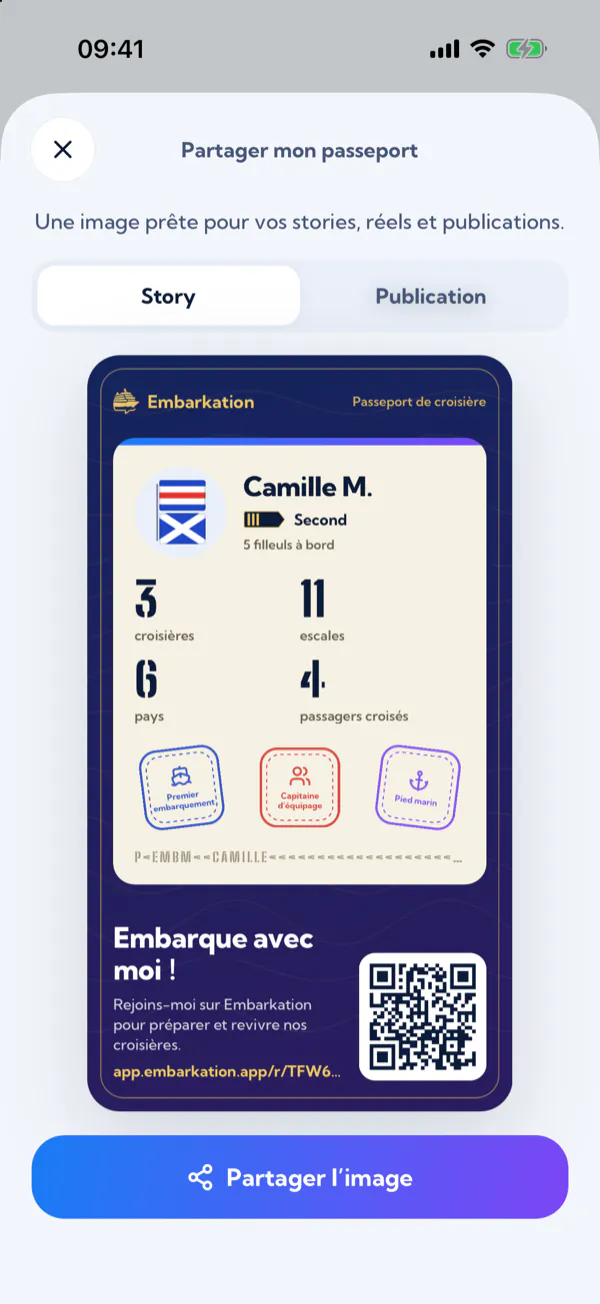
Share your passport
- In your passport, tap “Share”: the “Share my passport” screen opens.
- Choose the “Story” or “Post” format.
- Tap “Share the image” and pick Instagram, Facebook, X or a messaging app.
The image shows your first name and last initial, your rank, your counters (cruises, ports, countries and passengers met), your stamps and a QR code that leads to your invite link.
Stop 6
Find your next cruise
Itching to sail again? The Explore tab searches upcoming cruises and passes your quote requests on to our partner travel agency.
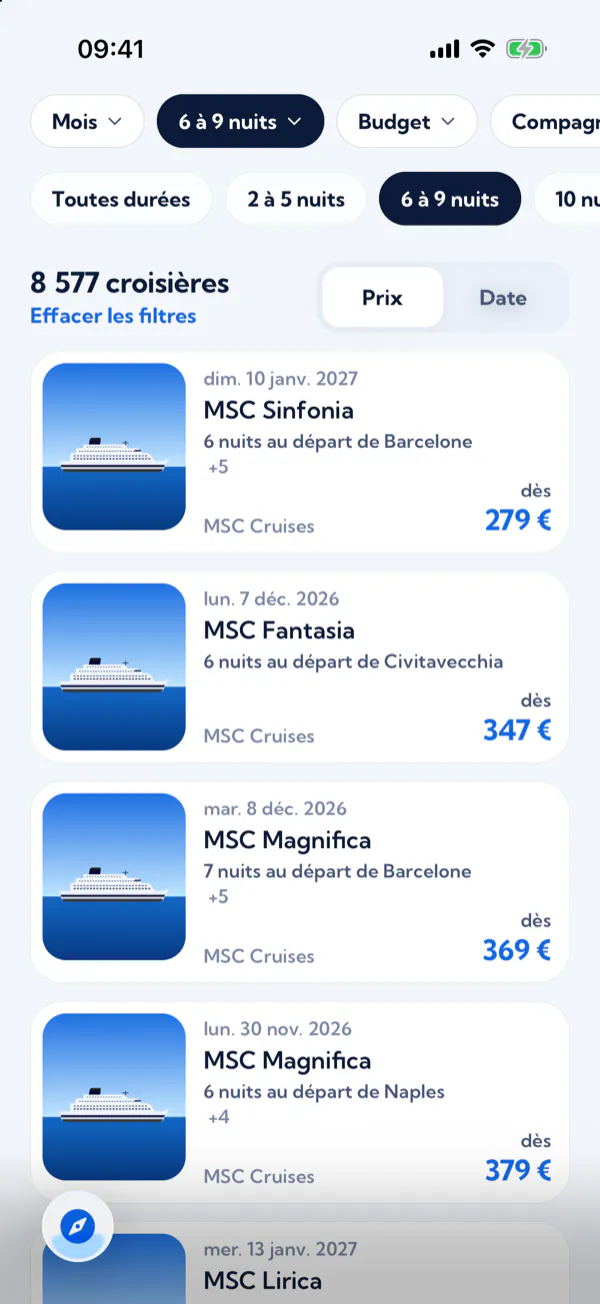
- Open Explore and search for a ship, a cruise line or a cruise.
- Narrow it down with the filters (destination, month, length, budget and cruise line), then sort by price or by date.
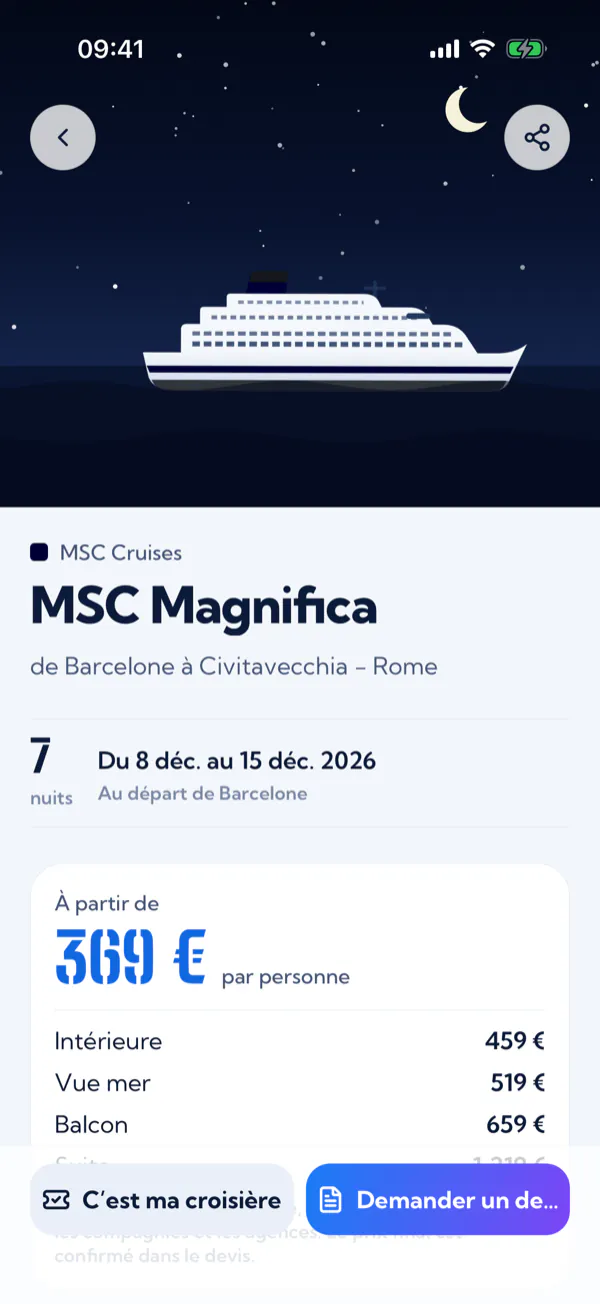
- Open a cruise: the itinerary on the map, the dates, the departure port and the “from” price for each cabin type.
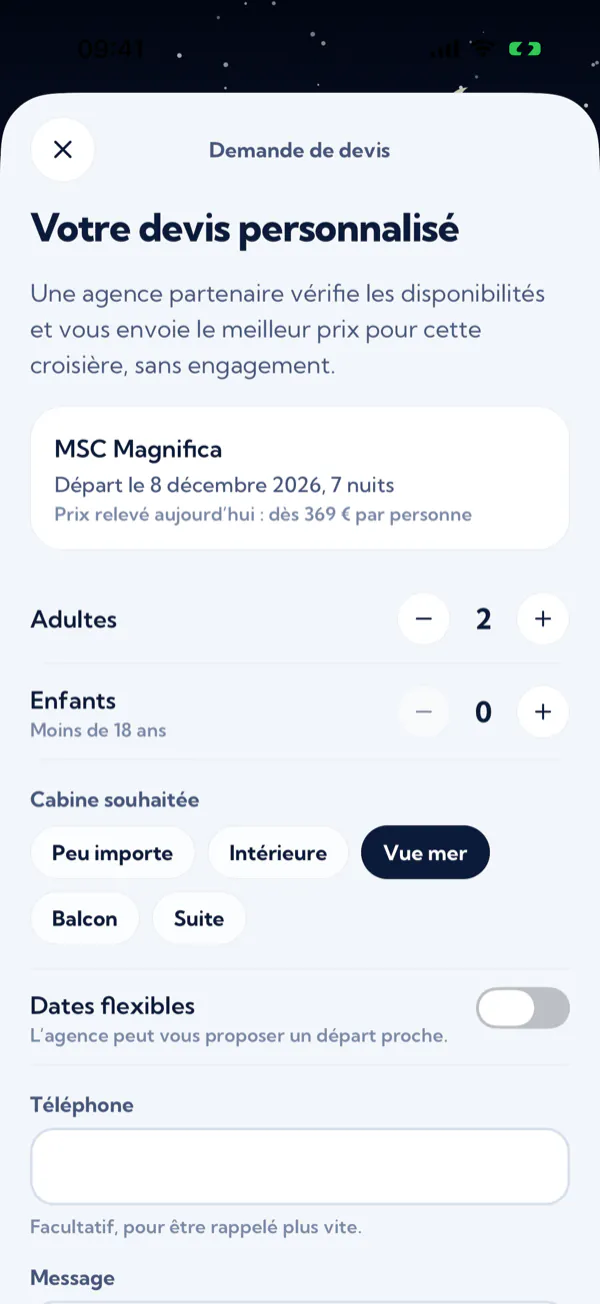
- Tap “Request a quote” and enter the number of adults and children, your preferred cabin, whether your dates are flexible, a message and, if you like, your phone number.
- Tick the box allowing your request to be passed on to the partner agency, then tap “Send my request”.
The agency replies by email, usually within 2 business days. The quote is free, with no commitment: Embarkation doesn’t sell trips, you book with the agency.
Prices are indicative, per person, and collected daily from cruise lines and agencies. The final price is confirmed in the quote.
Stop 7
Earn your stripes
Every friend you bring aboard moves you up a rank, from Cadet all the way up to the Admiral’s star.
Invite your loved ones
- In your passport, the “My rank” card shows your rank and how many more friends you need to invite.
- Tap “Invite friends” to send your invite link, or copy it with the button next to it.
- When someone creates their account with this link, you earn a stripe. Bringing a new member into your cruise crew counts too.
- Cadet on sign-up
- Deckhand from 1 friend
- Boatswain from 3 friends
- First mate from 5 friends
- Captain from 10 friends
- Commodore from 25 friends
- Admiral from 50 friends
Did a friend invite you? In your passport, enter their code under “Did a friend invite you?” and tap “Confirm”: they earn a stripe. An invitation only counts once, for a new account, and ranks are symbolic: they come with no rewards.
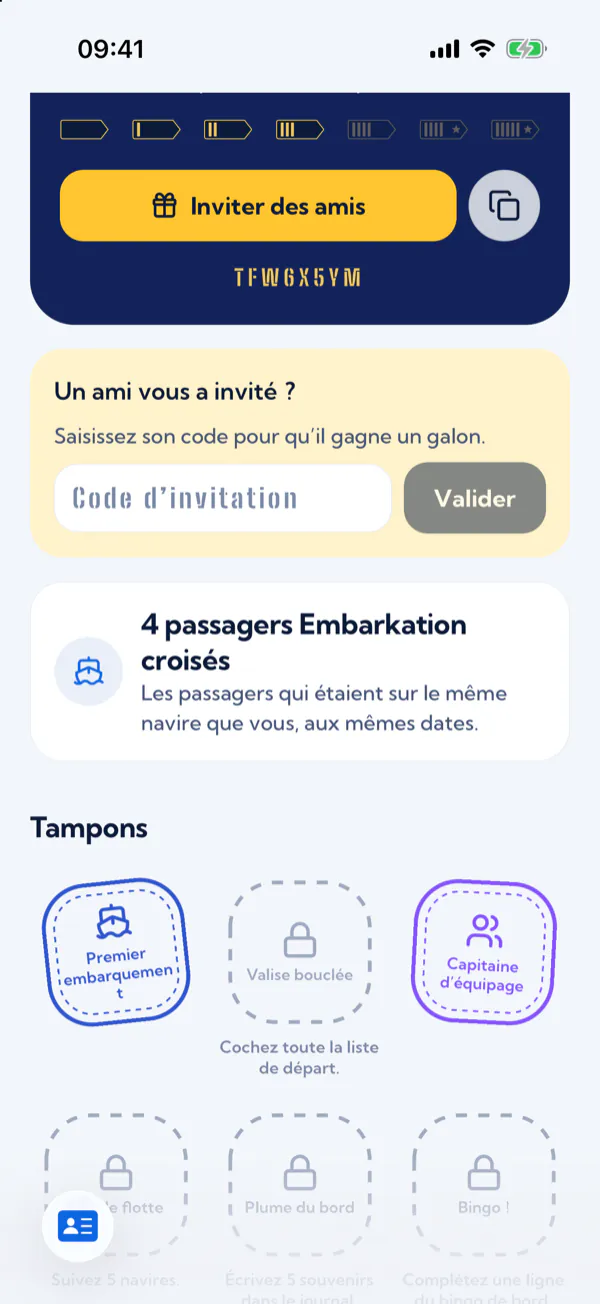
Passengers met
Embarkation counts the members who had a cruise on the same ship as you, on the same dates. This number appears in your passport and after each cruise: you only ever see a number, never names.
Stop 8
Set up the app and protect your data
Your account belongs to you: here’s where to adjust the app, who sees what, and how to delete everything.
Your profile
In the Passport tab, tap “Edit my profile”: first name, last name, bio and photo. Your crew sees you by your first name and the initial of your last name.
Who sees what
- Your memories
- Your crew, or only you for the ones you keep with “Only me”.
- Your profile
- Your crew, and the other passengers on the ship only if you’ve turned on “Visible to other cruisers”.
- Your passport
- Only you, unless you share its image.
- Passengers met
- A number, never names.
- Your location
- Nobody: the map’s “Locate me” button uses it on your phone, without sending it to our servers.
Appearance and language
In the passport’s Settings: automatic, light or dark appearance, and the language (your device’s, French or English).
Delete your account
- Open the Passport tab, then Settings.
- Tap “Delete my account”.
- Confirm with “Delete permanently”.
Deletion is immediate: your profile, your photo, your memories, the ships you follow and the cruises where you’re the only member are erased. Can’t sign in any more? Write to contact@embarkation.app.
Get a copy of your data
The app has no automatic export: write to contact@embarkation.app to receive a copy of your data. All your rights are set out in the privacy policy.
Ready to board?
Embarkation is free. Still have a question? The FAQ most likely has the answer.